
Scoring of 100% of calls
A weighted score from 0 to 100 against your criteria and goals, with a quote for each conclusion.
AI transcribes every conversation from your PBX, checks it against a checklist and shows the moment a conversation went wrong. You keep your number and PBX.
Already a customer? Log in
Leksta is a call speech analytics service: transcription, AI summary, checklist scoring, script control and sending the result to CRM. A manager sees the quality of every call, with quotes, instead of the small sample they have time to listen to. Recordings come from your PBX without changing your number, and the call result can go to amoCRM or Bitrix24.
A weighted score from 0 to 100 against your criteria and goals, with a quote for each conclusion.
Six scenarios: B2B sales, cold calls, inbound, support, retention and booking. Merge criteria and update the template.
A short result of every call in the call list, on the card and in reports.
The calls a manager should open first are gathered in one queue.
Compare AI scores with controllers' scores and tune the checklist where they differ.
Upload a script as text, PDF, photo or DOCX: AI checks each step in every call and shows the completion rate.
Phrases and actions a manager must perform in every conversation, marked on every call.
Product names, competitors and stop words are highlighted in every transcript, with word forms covered.
AI finds prices, competitors and product names in conversations that you did not search for.
Period metrics against the team, promises and tasks, and manager notes.
A printable report for a personal conversation with the manager: criteria, trend, strengths and weaknesses.
Fragments with a low score on a criterion and a link to the exact moment in the recording.
A manager practises tough conversations in a chat with an AI customer built from your stop factors and gets a score with quotes.
See where exactly a newcomer loses customers and on which criteria they need help.
A graph of customer sentiment through the conversation shows where the customer is unhappy. Operator emotions are not scored.
A short portrait, traits with quotes, open promises and the next step on the contact card.
AI finds promises such as “I will call back by 6 pm”, sets a deadline and flags it if missed.
Refusal reasons with quotes and a mark: objection handled, partly or not.
Call history, tasks and the customer portrait on one page.
Calls, average score, goals and customer dissatisfaction for the chosen period.
Did the customer book, buy, get the issue solved: by operator, scenario and period.
Your own metric sets for teams, pace, forecast and XLSX export.
A ready AI digest per employee, team and company: trend and the most telling call of the period.
One question over all calls within up to 93 days: an answer with exact counts and links to conversations. You can also ask the question by voice.
Ask us and we will set up the weekly e-mail report: the team summary arrives by e-mail on Monday.
A reminder about a customer promise or a task goes to an employee in the console in one click; ask us and we will set up e-mail reminders.
Connected to your CRM: summary, score and a link to the call as a note on the customer card.
Upload wav, mp3, ogg, m4a and webm files or import automatically from a PBX folder.
Download call recordings as an archive.
Send analysis results to your own systems.
Rules by metric, threshold and period; messages to Telegram or your system.
Role-based access: for example, an operator sees only their own calls.
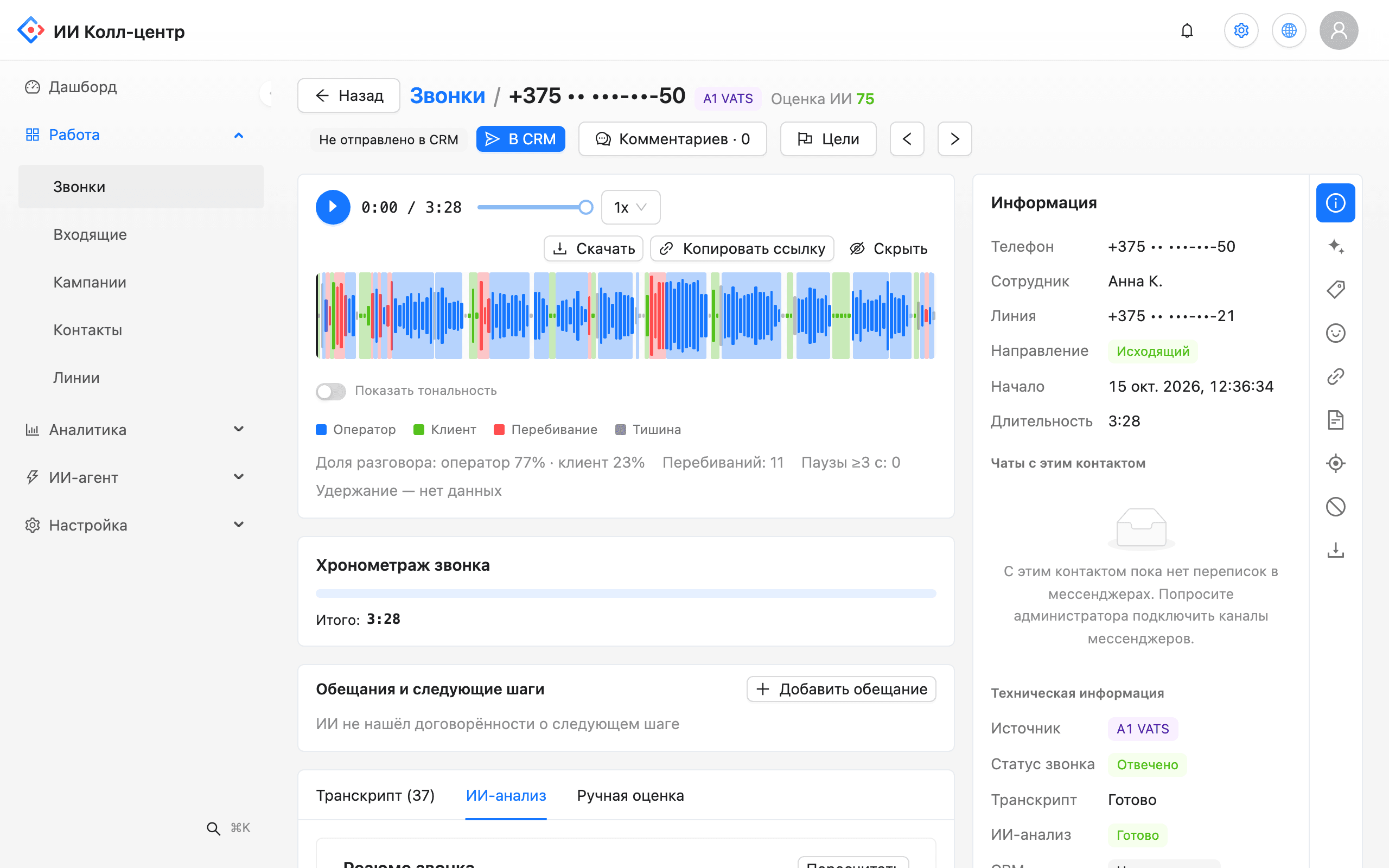
Each call opens in one card. On the left is the recording with a waveform colored by speaker. On the right are the transcript and the AI score for each criterion. Every score is backed by a quote: click it and the player jumps to that second.
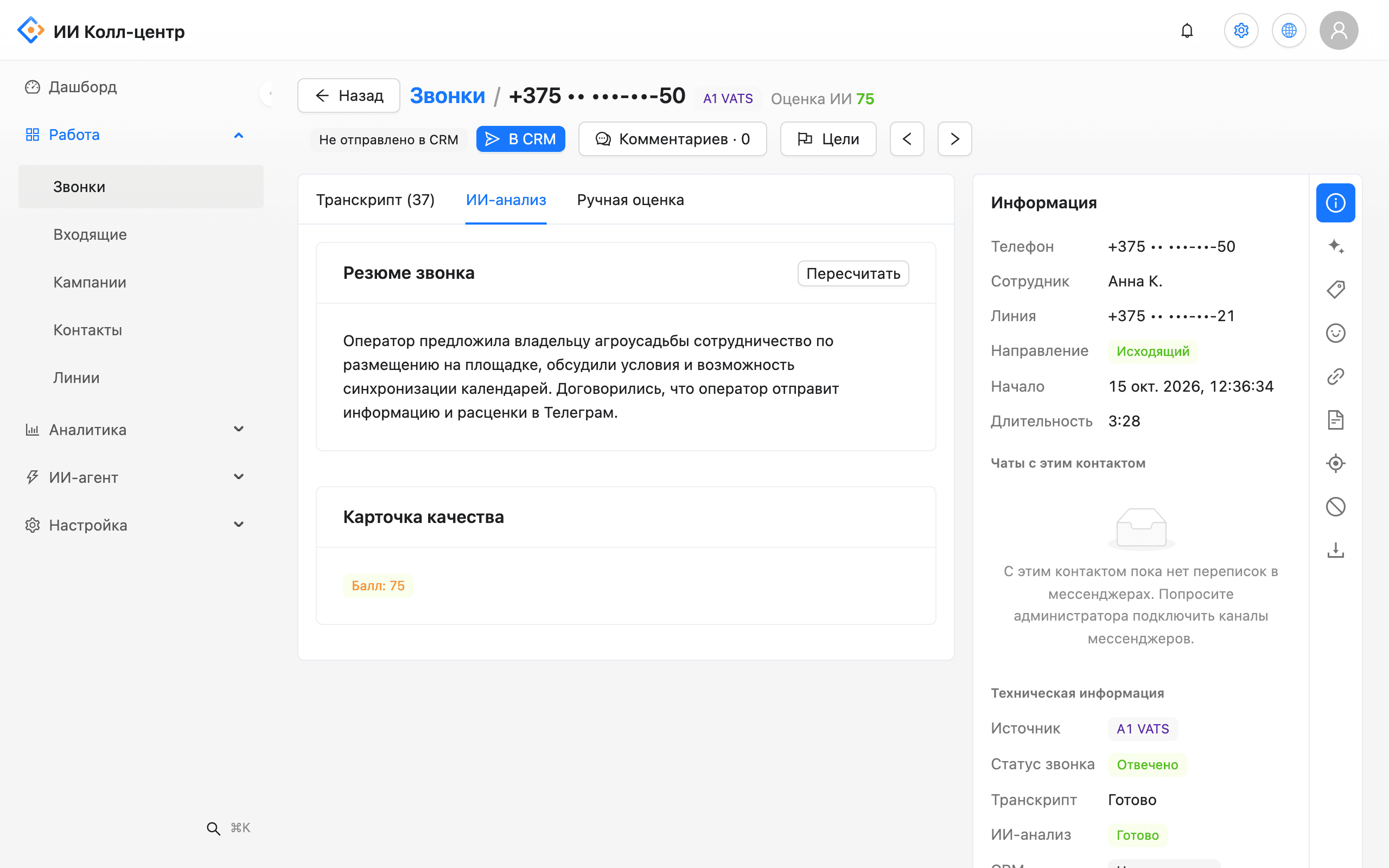
On the "AI analysis" tab, each call has a short summary of a few sentences and a quality card with the total score. The summary saves the manager's time: the point of the call is clear before listening, and it goes to CRM as a note with a link to the call. After a recalculation, the summary updates for the selected analysis scenario.
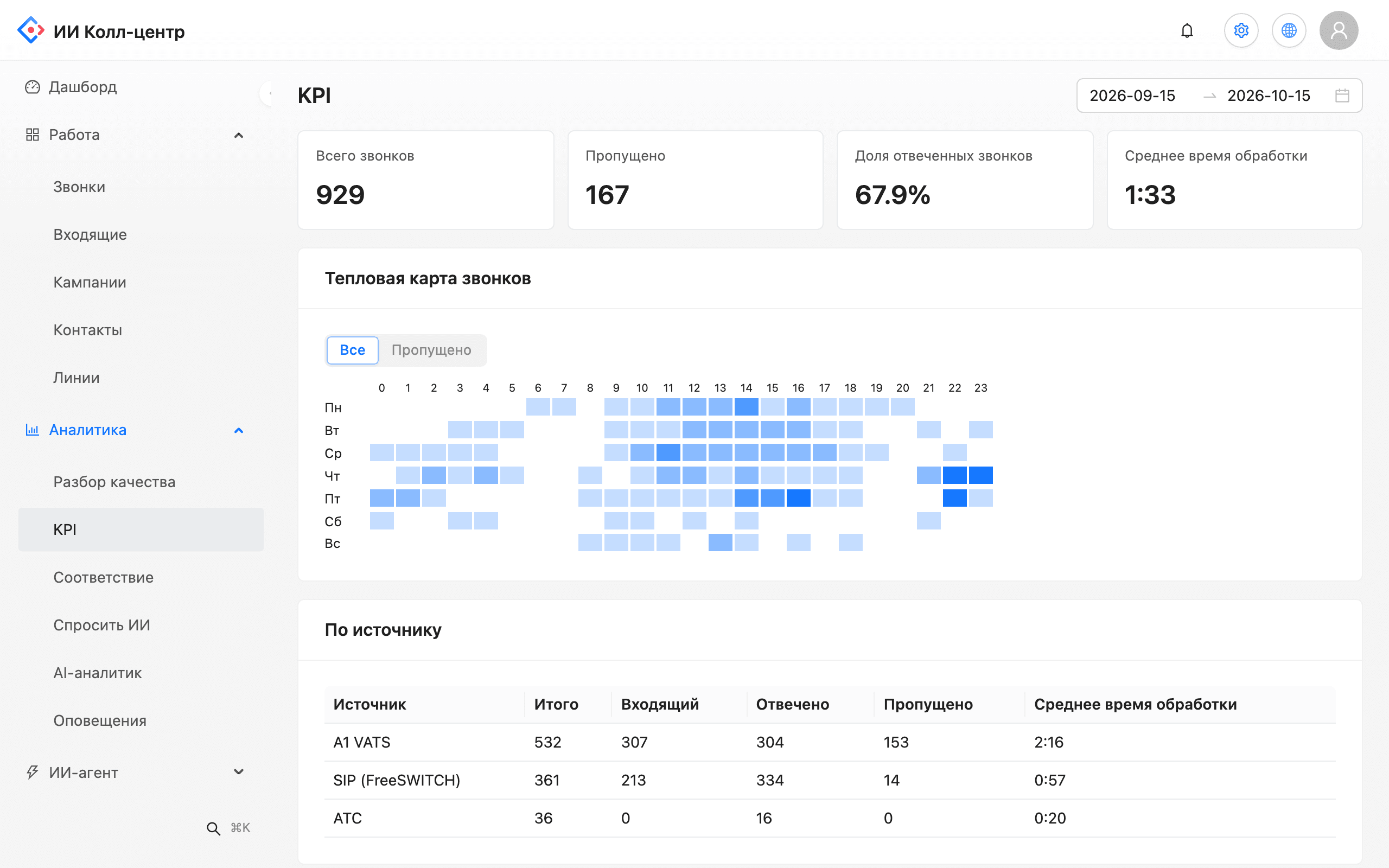
The dashboard gathers the result of all calls in the period: how many calls took place, what the average score is, which goals were met and where the share of customer negativity grows. You set the alert rules yourself: metric, threshold and time window.
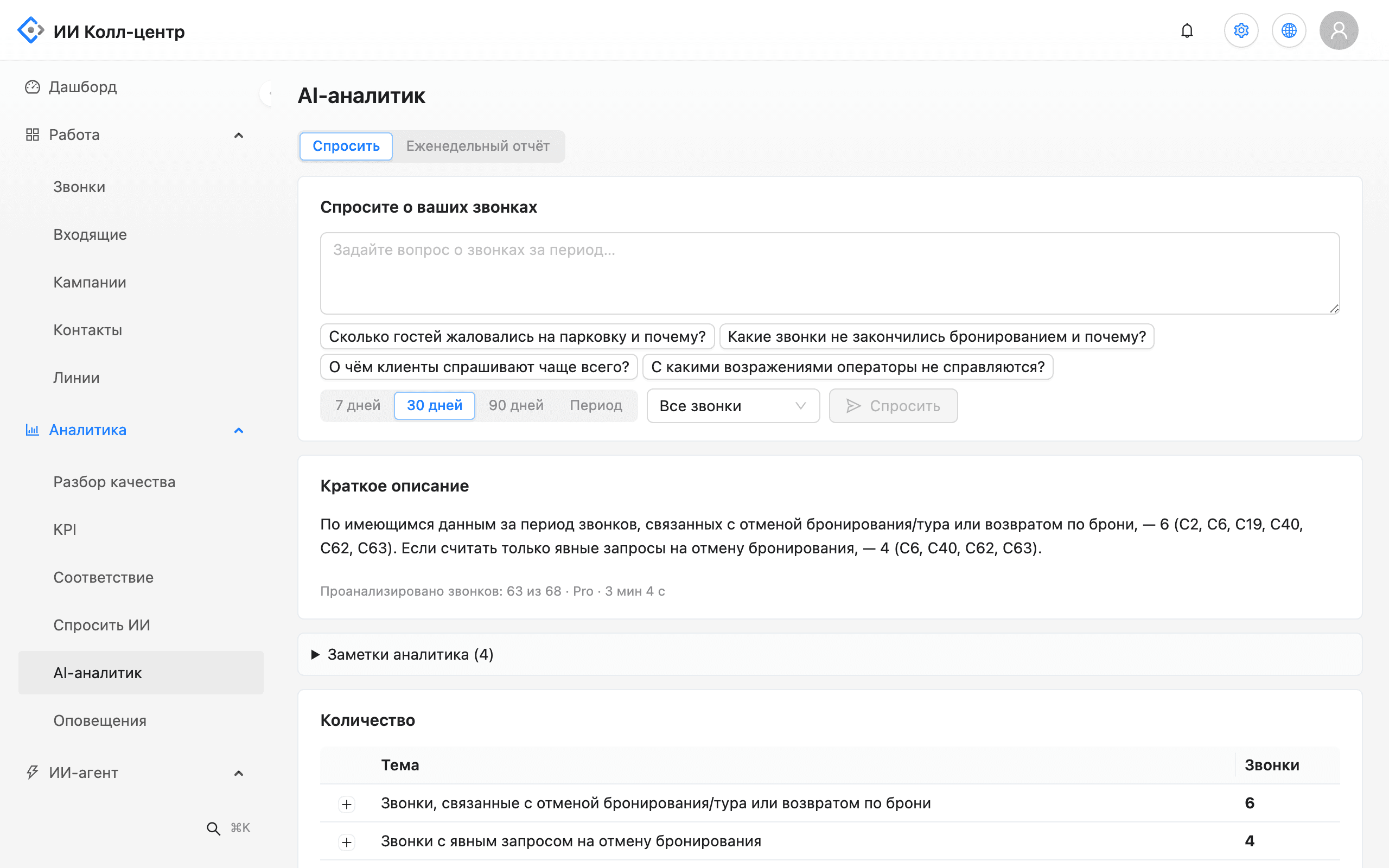
Instead of exporting to a table, ask a question: "Why did customers cancel bookings last week?" The AI analyst reviews calls for a period of up to 93 days and answers with links to specific calls. Under each conclusion you can see how many calls it is based on.
The customer compares the price with a competitor. The operator suggested comparing what each offer includes and promised a calculation by Friday noon. Product value was not stated.
Promise to the customer: send the calculation on Friday before noon. Stop factor: competitor price.
Problem. The manager listens to a few calls a week and does not know why the other deals fell through.
What the AI does. AI scores all manager calls by the sales checklist and collects reasons for refusal with quotes.
Outcome. Deal review is based on facts from recordings, not on the manager's retelling.
Problem. Missed bookings and wrongly quoted prices are found only after a complaint.
What the AI does. The goal "booking made" and the criterion "correct information" are checked in every call, failures arrive as an alert.
Outcome. The administrator learns about the problem on the day of the call and has time to call back.
Problem. You need an audit of every call, and there is never enough time to listen to the whole volume by hand.
What the AI does. Two-channel recording, transcript and scoring of tone and required phrases in all calls.
Outcome. A disputed call is found by search in minutes, with an exact quote.
Problem. The mentor does not see where exactly a new employee loses the customer.
What the AI does. The employee card and the employee report show weak criteria and the worst calls for the period.
Outcome. Training follows specific moments in the recording, not general advice.
The pilot starts with your real recordings. You do not need to change your PBX or number.
A1 VATS, your PBX over SIP or file upload. There is a history import for old calls.
Take the standard criteria (greeting, needs discovery, correct information, objection handling, next step) and add your own.
Mark what counts as a successful call and add product names, competitors and stop words.
Choose the metrics and thresholds at which the manager gets a message in Telegram.
The supervisor scores some calls by hand, and the calibration screen shows the differences for each criterion.
We show accuracy on your own recordings before you pay: the analysis runs on your calls, with your terms and your line quality. A company dictionary helps recognise product and brand names.
Send a few recordings and get back the transcript, score and summary.
Check my callsWe take recordings from A1 VATS and Asterisk and pass the call result to amoCRM and Bitrix24. You can also upload recordings as files, so you keep your number and PBX.
Tell us your PBX and CRM and we will show how to connect.
All integrationsThe cloud edition runs on servers in Belarus. Phone numbers, e-mails and card numbers are masked in transcripts, and an administrator sets how long recordings and transcripts are kept.
Need a closed perimeter? We install Leksta on your own servers.
On-premiseAI checks every call and a controller reviews the ones that matter: the attention queue shows where to start. You can compare AI scores with manual ones: the calibration screen shows differences for each criterion.
We will show calibration on your calls.
Request a demoStart with an analysis of your recordings before you pay. The first-partner programme includes a free 14–30 day pilot: we agree the success metric and end date in writing before it starts. An administrator can delete recordings and transcripts manually.
Leave a request and we will arrange a pilot.
Discuss a pilotWhat to know about your recordings.
The cloud edition of Leksta runs on servers in Belarus.
Phone numbers, e-mails and card numbers are masked in transcripts and digests. Only an administrator can reveal a value, and must give a reason; the action is written to the audit log.
Operator, supervisor, administrator and custom roles: 29 access rights and a log of user actions.
An administrator sets how long recordings and transcripts are kept; cleanup runs with a preview.
The console runs over HTTPS and backups are encrypted.
The on-premise edition runs without outgoing connections: speech recognition and the language model stay with you.
In the cloud edition an external language-model provider processes call text; fully local processing is available in the on-premise edition. Details are on the On-premise page.
Leksta receives recordings from your PBX, converts speech to text and checks every conversation against your checklist: criteria, goals and objections. Each score is backed by a quote and problem calls go to the attention queue. A manager opens them at the right moment instead of listening to recordings end to end.
Yes. Upload the script as text, PDF, DOCX or a photo: AI checks every step and required point in every call and shows the completion percentage with quotes. More on the Sales script control page.
Transcription turns a conversation into text and separates operator and customer lines. Accuracy depends on recording quality, terminology and accents, so we show it on your own calls before you pay. A company dictionary and speech glossary help recognise product and brand names.
Start with a ready template for your scenario, such as sales, inbound or support, and add your own weighted criteria. Mark the conversation goals and required items. A detailed look at criteria and calibration is in our article on call scoring checklists.
Leksta speech analytics is a subscription with a minute bundle: the Team plan is 329 BYN per month and Department is 1,590 BYN. Minutes beyond the bundle are billed separately and the plan does not depend on the number of console users. Prices exclude VAT. Details are on the pricing page.
Send a few recordings and we will show the transcript, score and summary against your checklist.