
Text instead of listening
The manager reads the point of the call in a minute and opens the right place in the recording.
Leksta turns call recordings from your PBX into text, splits the customer's and the employee's lines and lets you search the whole call base.
Already a customer? Log in
Call transcription is the automatic conversion of a phone call into text with a speaker split. In Leksta, the transcript is needed for the summary, checklist scoring and search across the whole call base, and every score is backed by a quote. Recordings come from your PBX, and personal data in the text can be masked before saving.
On the "AI analysis" tab, each call has a short summary of a few sentences and a quality card with the total score. The summary saves the manager's time: the point of the call is clear before listening, and it goes to CRM as a note with a link to the call. After a recalculation, the summary updates for the selected analysis scenario.
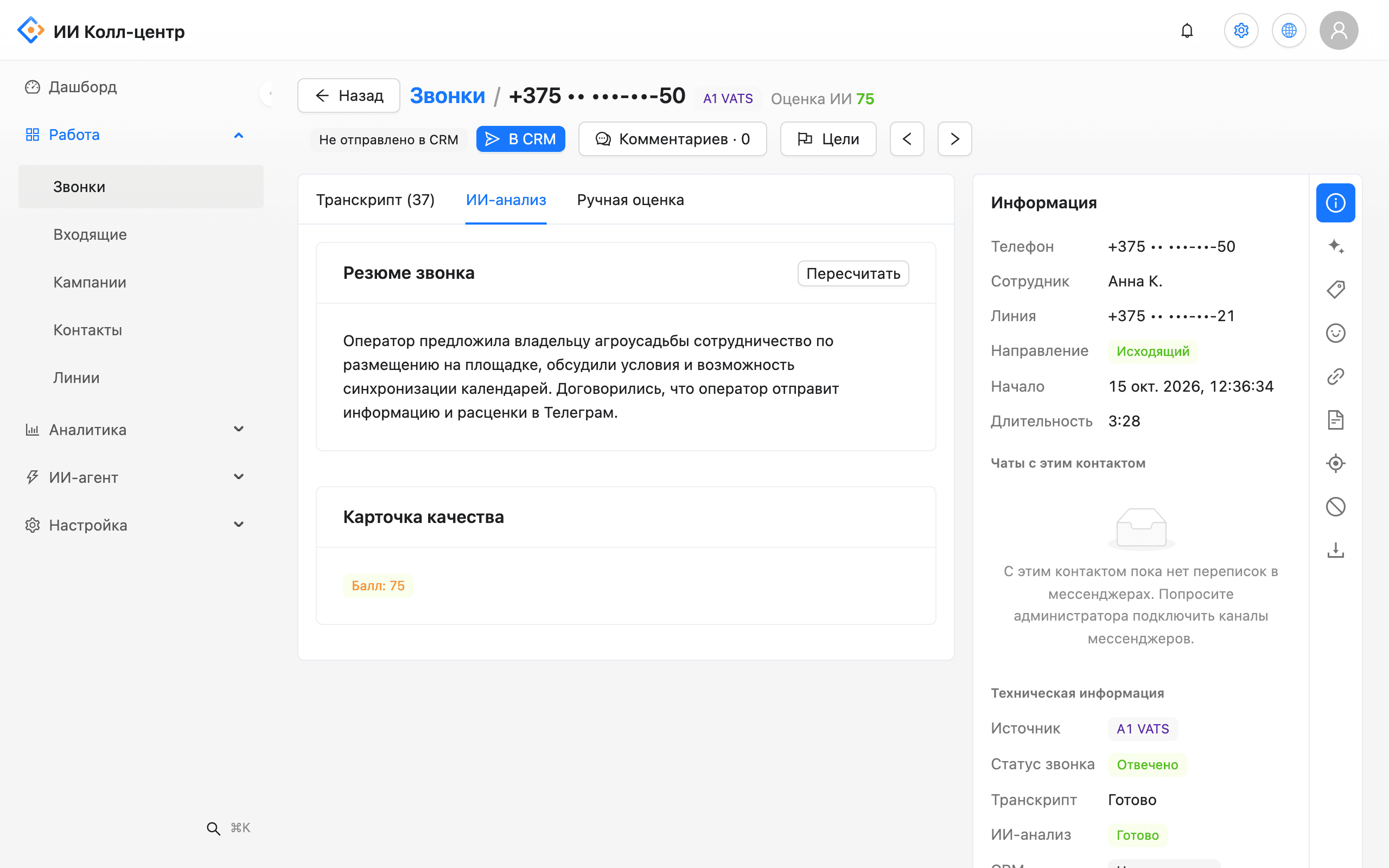
The manager reads the point of the call in a minute and opens the right place in the recording.
The customer's and the employee's lines are shown separately.
Find calls with a complaint, a competitor or a word from the dictionary.
Checklist scoring is based on a text fragment and a second in the recording.
Phones and e-mails in the transcript can be masked, and the administrator sets the storage period.
Product names, competitors and terms improve transcript quality.
The best way to judge a transcript is to test it on your own recordings. In a pilot, take a set of your calls, compare the text with what you hear and add product names, names and terms to the dictionary: transcript quality goes up. Every quote leads to the exact second in the recording, so any place is easy to check against the original.
Call transcription is the automatic conversion of a phone call into text, with the customer's and the employee's lines split. In Leksta the transcript is the basis for the AI summary, checklist scoring and search across all calls. Recordings come from your PBX, and phones and e-mails in the text can be masked before it is stored.
Transcript accuracy depends on recording quality, noise, accent and special terms, so the most reliable way is to test it on your own calls. A company dictionary with product names, competitors and terms improves the text. With stereo recording, the operator's and the customer's lines are split by channel, and every quote leads to the second in the recording for a quick check.
Connect your PBX to Leksta or upload recording files in wav, mp3, ogg, m4a or webm. The system turns speech into text, splits the customer's and the employee's lines and saves the transcript in the call card. You can search the text, and AI immediately writes a summary and scores the call by your checklist.
Yes. Old calls are uploaded as files — wav, mp3, ogg, m4a or webm — or pulled in by automatic import from a PBX folder. Leksta transcribes them the same way as new calls: split by speaker, with an AI summary and a checklist score. So in a pilot you see the result on your own call history right away.
We will show the result on your recordings. Tell us your volume and PBX.