
Inbound calls
Answers from the knowledge base, clarifies details and writes data to the call record.
The AI answers on your number, calls through customer lists and hands complex conversations to a person. Every call is recorded, transcribed and added to analytics.
Already a customer? Log in
Updated
An AI voice bot connects to the company's PBX, answers inbound calls and works through call lists following a scenario. It understands speech, answers from the company's knowledge base and accepts confirmation by key press. If the caller asks for a person, it hands the call to an agent, and the transcript and outcome are saved in the console and CRM.
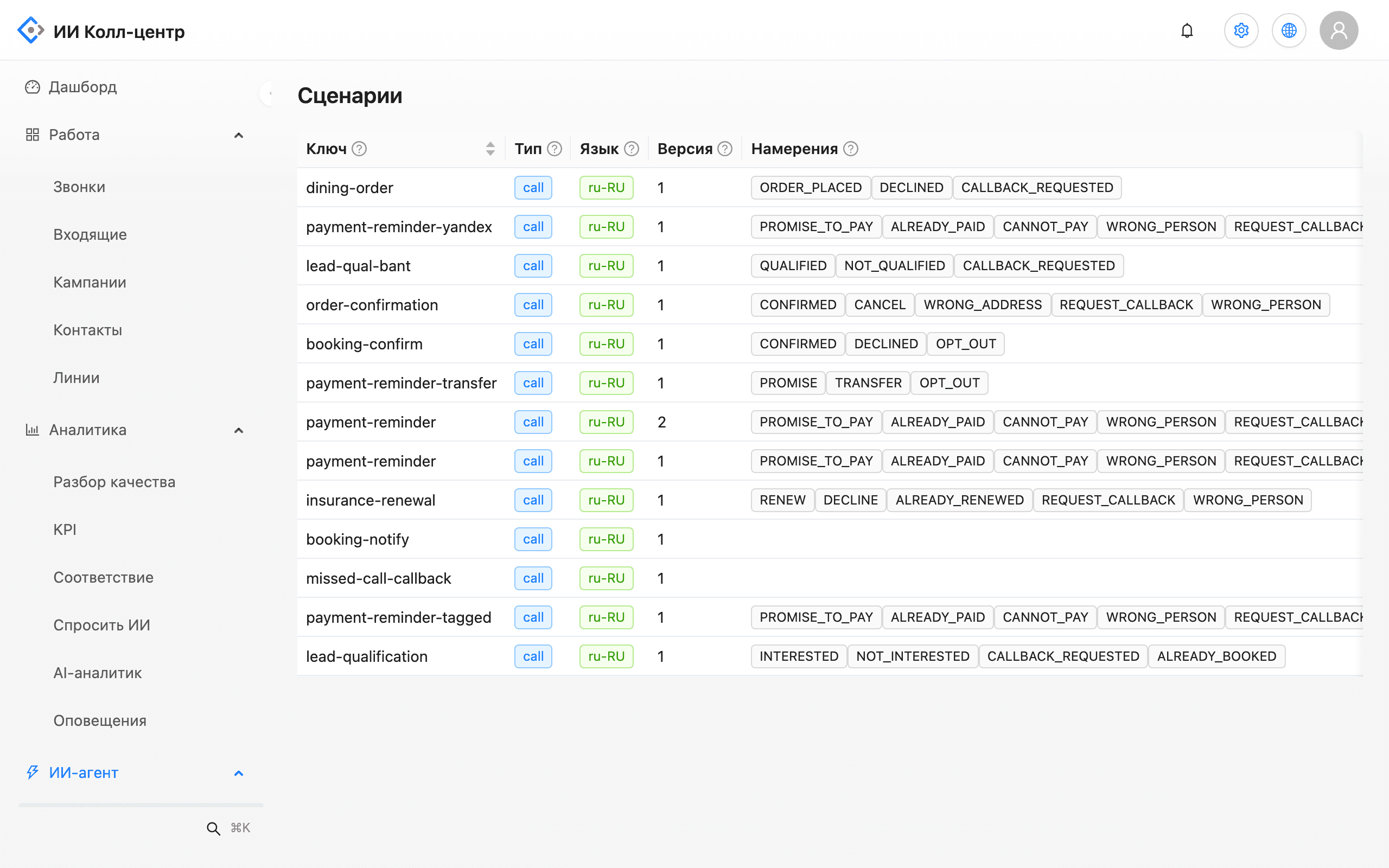
A scenario is built from steps and if-conditions: greeting, question, the caller's answer, next step. The Check button finds dead ends and unreachable steps before launch. Every edit is saved as a version, and you can roll back in one action.
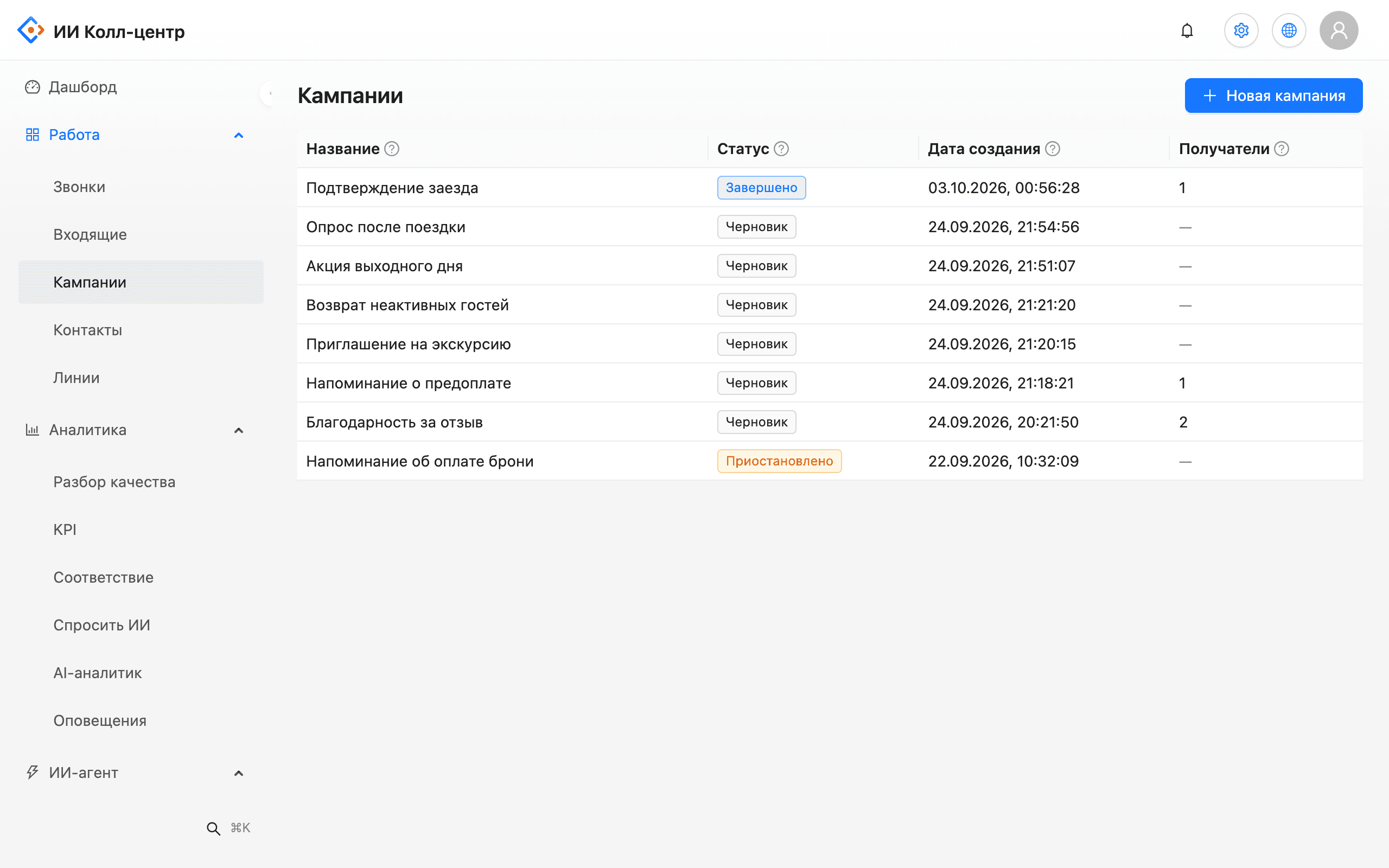
Upload a CSV with phone numbers and any extra columns; they become scenario variables. The system checks number formats and duplicates before the first call and shows the reason for every rejected row. A campaign calls only within its window and pauses itself when the minute budget runs out.
Answers from the knowledge base, clarifies details and writes data to the call record.
Calls through lists with schedules, retries and answering machine detection.
When a caller asks for a person, the bot hands the call to an agent under your rules.
The customer presses 1 to confirm an appointment, booking or delivery.
The bot detects voicemail and calls back later under the campaign rules.
Customers know right away they're talking to an AI. That protects trust in your brand.
Problem. Staff call customers by hand the day before a visit.
What the AI does. The bot calls the list, states the date and time, and the customer presses 1 to confirm.
Outcome. Staff see confirmed and unconfirmed visits in one list.
Problem. The line is busy with questions about hours, address and prices.
What the AI does. The bot answers from the knowledge base and hands off anything outside it.
Outcome. Agents get only the calls that need a person.
Problem. Payment reminders take up staff time.
What the AI does. A campaign calls the list and the customer confirms a payment date with a key press.
Outcome. Every conversation is recorded, transcribed and available for audit.
Problem. The company doesn't know whether customers were happy after a visit or delivery.
What the AI does. At the end of the call the bot asks a short question and the customer presses 1 if everything was fine.
Outcome. Survey answers sit in campaign analytics next to each call score, and unhappy customers can go straight to a manager.
The bot connects to your telephony. No new number needed.
A1 Cloud PBX, Asterisk, FreeSWITCH or your carrier's SIP trunk.
Policies, prices and FAQs. The bot answers only from these documents.
A greeting that says the caller is talking to an AI, questions, a key-press menu and handoff rules.
Call the bot yourself and review the transcript and score in the console.
Start with one scenario or one list and expand after review.
The bot checks that an agent is actually available: on shift, within working hours and with a registered softphone. While it dials, the caller hears hold music. The agent gets the transcript of the bot conversation and the handoff reason, so the caller doesn't have to repeat everything. If nobody answers, the bot says so honestly, asks what the callback should be about and saves a note on the call record. The transfer method depends on your PBX, and we verify it during the pilot.
The company running a campaign is responsible for customer consent. The console helps: rows without a consent flag are not called, and a customer who presses 9 won't be called again. Only an administrator can lift an opt-out, and that is logged.
After the call the recording is transcribed and checked against the scorecard. A short summary arrives in Telegram, and the outcome goes to the CRM record. Transcription can get names and numbers wrong, so every score comes with a quote and a link to the moment in the recording.
The bot detects an answering machine in the first seconds of the call. The campaign then follows your rules: leave a short message, call back later or route the number for manual follow-up. If detection is uncertain, the call counts as no answer and is retried, so a live person never hears a message meant for voicemail.
The bot works through your telephony: A1 Cloud PBX, Asterisk, FreeSWITCH or a carrier SIP trunk. Call outcomes and summaries go to Bitrix24 or amoCRM, and to 1C as a pilot on a test database. Call events can be sent to your own systems via webhooks and n8n. More on the integrations page.
The bot speaks with a synthesized Russian voice. Belarusian voice is not supported yet. If your customers prefer another language, use chats: the bot answers there from the same knowledge base.
A robot call lands in the same journal as operator calls: with a transcript, a checklist score and a summary. A manager filters the journal by source, goal and score and opens only the problem conversations. If a score looks wrong, a supervisor adds a manual score next to the AI score, and reports use the final one, where the manual score takes priority.
Start with one scenario: confirming an appointment, a booking or a delivery. A list of numbers, the call text and the key values are enough. After a few days the console shows transcripts of real answers, and you can adjust the scenario before extending it to other lists.
The voice is synthesized Russian. We don't hide that it's an AI: the bot introduces itself at the start, so the customer knows who they're talking to.
Yes. When the caller asks for a person, the bot hands the call to an agent under the rules you set. The agent sees the transcript and handoff reason. We verify the transfer setup for your PBX during the pilot.
The bot recognizes free speech, not just key presses, and looks for the answer in your knowledge base. If the answer isn't there, it doesn't make one up; it offers to connect a person.
Yes. The bot recognizes voicemail in the first seconds and can leave a short message or call back later. Uncertain cases count as no answer and are retried.
No. The bot connects to your existing PBX or SIP trunk; your number and carrier stay yours.
The voice bot speaks Russian. Belarusian voice is not supported yet.
In the booking confirmation scenario on our test environment, the call happens about 15 seconds after the booking. Timing in your setup depends on how the event is passed in.
IVR walks callers through a keypad menu. A voice bot understands free phrases and answers from the knowledge base. Key presses stay where they beat speech, such as confirmations.
That depends on the number of lines on your PBX or SIP trunk and on campaign settings. We size capacity for your volume during the pilot and don't quote a figure without measuring.
It can. An administrator turns on caller memory by phone number, and the bot then takes into account up to three recent call summaries with that customer within your company. It is off by default.
Tell us which calls you want to hand to AI. We'll show a demo and a pilot plan.