Leksta
Website, Telegram, Viber, Max

Omnichannel chatbot and shared inbox

Website widget, Telegram, Viber and Max in one window. The AI answers from the same knowledge base as the voice bot, and an agent picks up the harder conversations.

Already a customer? Log in

Updated

  • One knowledge base with calls
  • Self-service setup
  • Replies under your brand

What is an omnichannel chatbot?

An omnichannel chatbot receives messages from several channels and brings them into one window. In Leksta that means the website widget, Telegram, Viber and Max: the bot answers the first message from the knowledge base, and an agent picks up the conversation in the shared inbox. The customer's chat and call history sits on one card.

Chat channels

  • Website widget
  • Telegram
  • Viber
  • Max
  • Instagram · soon
  • WhatsApp · soon
  • Messenger · soon
Website widget
Chat on your site: embed code, color, greeting and language set in the channel card.
Telegram
Your company bot in the shared inbox, with handoff to a person.
Viber
Business channel in the same shared conversation feed.
Max
Connect the channel in settings, no support ticket needed.
Instagram
Coming soon. Waiting for Meta app review.
WhatsApp
Coming soon. Opens once Meta approves the business account.
Messenger
Coming soon. Waiting for Meta app review.

A shared inbox for the whole team

Every conversation lands in one three-panel feed: the list, the thread and the customer card. New messages appear without a page refresh. You can assign a conversation to a person or team, set a status and add tags.

  • Search plus five filters: status, assignee, tags, lead quality, channel
  • Shared saved folders and an Unassigned queue
  • Attachments, private team notes and canned replies via /
  • Statuses: open, in progress, resolved, snoozed
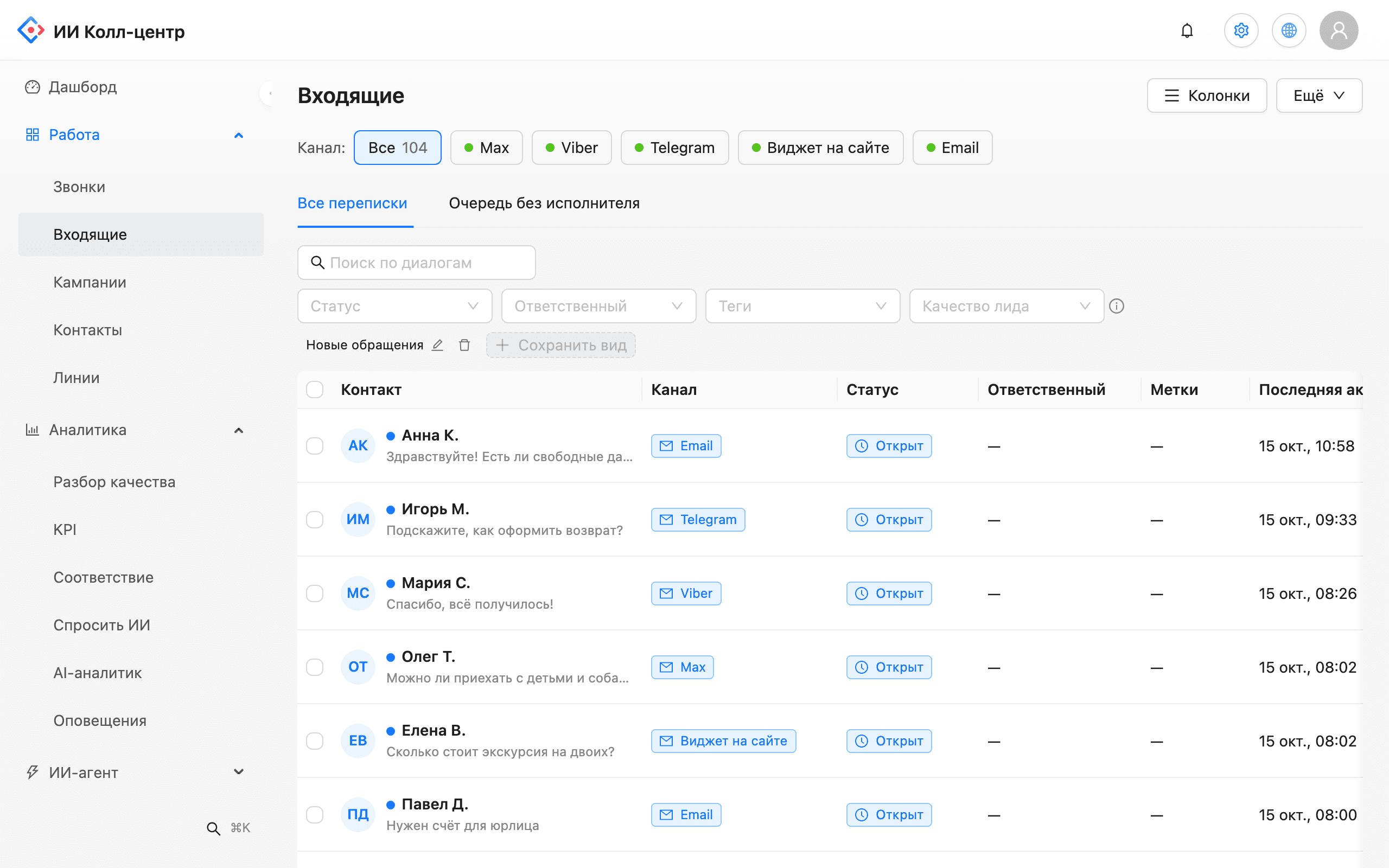
Unified inbox of conversations from Telegram, Viber, Max, Email and the website widget with status and assignee
Shared inbox: conversation list, thread and customer card.

The AI answers from your knowledge base

The bot can reply to a first message on its own, under admin rules: during working hours or around the clock, with handoff to a person on trigger words. While an agent handles the conversation, the AI suggests a draft reply with a link to the source document, and the agent sends it. If no article fits, the draft is flagged as unsupported.

  • One knowledge base for chats and calls
  • Draft replies linked to their source
  • Auto-reply and handoff rules
  • Protection against hidden instructions in documents
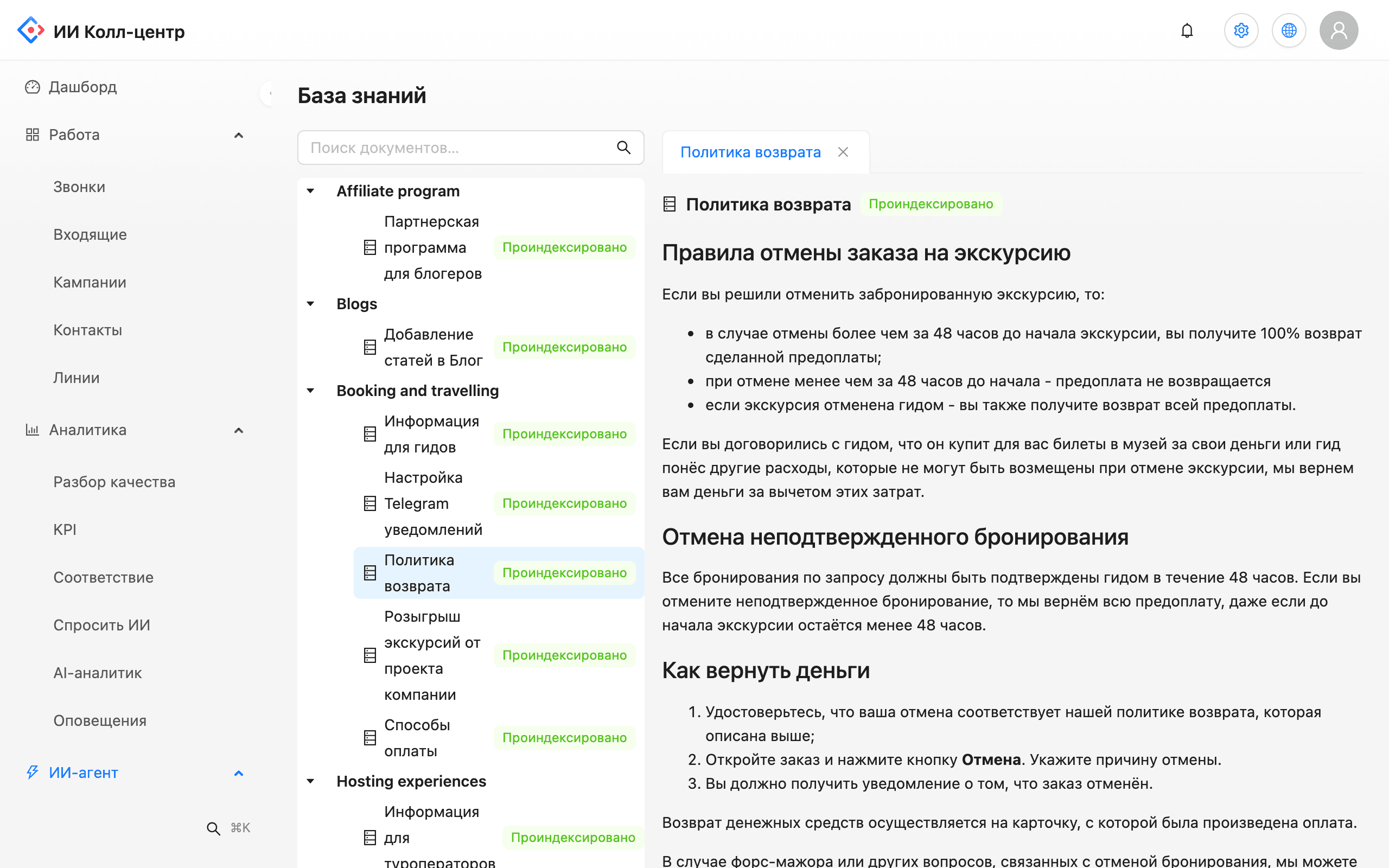
Knowledge base: document tree with indexing status and an open article about the refund policy
Knowledge base: the documents the AI answers from.

How companies use chats

Pre-purchase questions

Problem. Customers write on Telegram and the website in the evening and get a reply the next morning.

What the AI does. The bot answers routine questions right away and leaves complex ones in the agent queue.

Outcome. Customers don't wait until opening time for a simple answer.

Post-order support

Problem. Where-is-my-order and rescheduling questions are scattered across messengers.

What the AI does. All channels land in one feed that shows the customer's orders.

Outcome. Agents reply without switching between apps.

One customer, call and chat

Problem. A customer called yesterday and writes on Viber today, and the agent has no context.

What the AI does. The contact card shows calls from that number next to the chat.

Outcome. The customer's history doesn't break between phone and chat.

Several brands or branches

Problem. The company runs separate Telegram bots for different lines of business, and staff jump between them.

What the AI does. Each bot connects as its own channel in the shared inbox; channel filters and folders split the flow between teams.

Outcome. The team works in one window and sees where each request came from and who owns it.

How to connect the chatbot

An administrator turns chats on in the console. No support ticket needed: each channel connects from its own card, and an empty inbox prompts you to connect the first one.

  1. Turn on Chats

    An admin toggle opens the inbox next to calls.

  2. Connect channels

    Paste a Telegram or Viber bot token, connect Max, copy the widget code to your site.

  3. Style the widget

    Color, title, position, language and greeting with a live desktop and mobile preview.

  4. Set AI rules

    First-message auto-reply, working hours and the words that move a conversation to a person.

  5. Run a test conversation

    The Open real test button creates a test contact and conversation in the inbox.

Why chats and calls live in one product

When the chatbot and voice bot run in separate systems, you train them twice and their answers drift. In Leksta, chats are a section of the same console as calls. Update a rule in the knowledge base and it works right away in both chat and the bot's calls.

Instagram, WhatsApp and Messenger

The Meta channels are built and in testing. They open to customers after Meta reviews the app and business account, which is why they're marked coming soon. We don't give dates: the timing depends on Meta, not on us. We only list channels that already work.

The customer card next to the conversation

To the right of the thread is the customer card: number of bookings or orders, their total, whether this is a repeat customer, and a hot, warm or cold lead score. Contacts are matched by phone number, so the call page also shows chats with that customer. The card only displays data and changes nothing in your CRM.

Replies under your brand

On Telegram, the website and other channels, customers see your company name rather than an individual agent's. That helps when a conversation moves from the bot to an agent or between agents: for the customer, the conversation simply continues with your company.

Chat analytics

A dedicated report shows first response time (typical and worst cases), the share of conversations answered, escalations to a person, AI suggestion quality and the request funnel. Data refreshes every 15 minutes. Managers see where customers wait longest and which questions the bot doesn't close yet.

Events to your systems

Chat events go out through signed webhooks. There are ready presets for n8n, Make, Zapier, Albato and ApiX-Drive: a new conversation or lead triggers your automation.

When a dialogue goes to a person

In the AI rules you set working hours and the words after which a dialogue is handed to an operator. Until then the bot answers from the company knowledge base and does not invent an answer that is not in the documents. The operator sees the whole conversation and the AI hint, so the customer does not have to repeat the question.

One customer, one timeline

A contact is matched by phone number, so a call, a Telegram chat and a website enquiry are collected into one history. The operator sees that the customer called yesterday and does not ask the same questions again.
Chatbot FAQ

Which channels can I connect today?

The website widget, Telegram, Viber and Max. We verify each channel connection with you during the pilot.

When will Instagram, WhatsApp and Messenger be available?

They're marked coming soon. Instagram and Messenger need Meta app review, and WhatsApp needs business account approval. We don't give dates.

Do the chatbot and voice bot share answers?

Yes. One knowledge base serves both the voice bot and chats, so you update a policy once.

Can an agent take over a conversation?

Yes. Agents reply in the same window and see the full history. The bot hands conversations to a person on trigger words set by the administrator.

Does the AI send replies to customers by itself?

The bot can answer a first message under admin rules. After that, the AI suggests a draft and an agent sends it.

How do I add the chat to my website?

Set up the widget's look in the channel card and copy the ready-made embed code to your site. Changes show in the live preview.

Can I see a customer's call history in chat?

Yes, when the contact matches by phone number. The customer card shows calls from that number, bookings and orders next to the conversation.

Are there canned replies?

Yes. Saved replies open with the / key or a button, with search by name.

Can I connect several Telegram or Viber bots?

Yes. One company can connect several bots, and each becomes its own channel in the shared inbox. An invalid token is flagged right when you connect it.

What happens to conversations if I disconnect a channel?

Disconnecting pauses the channel, and all conversations stay in the inbox. Only a disconnected channel can be deleted, which erases its messages, so the console warns you first.

Bring chats and calls into one place

Request a demo and see a single customer timeline on your scenario.

Request a demo