Appointment confirmation
The patient presses “1”. The timestamped result shows in the list.
The bot calls patients before their visit, and reception calls back only those who asked to reschedule. Patients get preparation answers by phone or chat.
Already a customer? Log in
Updated
The voice bot calls patients ahead of time, states the appointment time and address and asks them to press “1” to confirm or “2” to request a new time. Reception sees confirmations and reschedule requests in one list. The AI answers questions about test preparation and opening hours from the clinic's knowledge base by phone and chat.
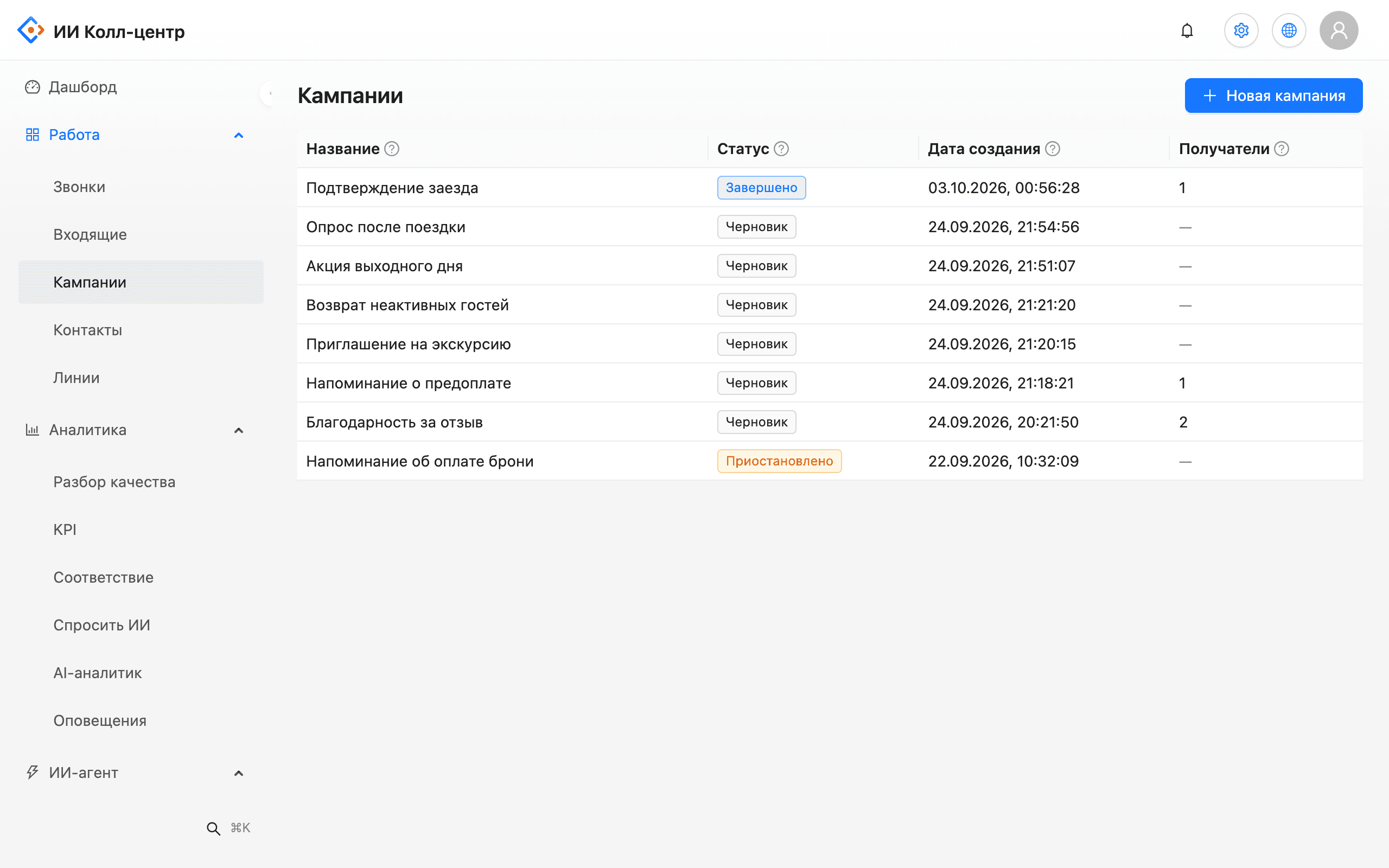
Tomorrow's appointment list is uploaded as a file or sent by webhook. The bot greets the patient by name and states the time and address. Each row gets an outcome: confirmed, wants to reschedule, no answer.
Reception opens the call record and reads what the patient said without replaying the audio. The AI checks the conversation against a checklist and flags it if the patient mentioned a complaint or asked for a doctor to call back.
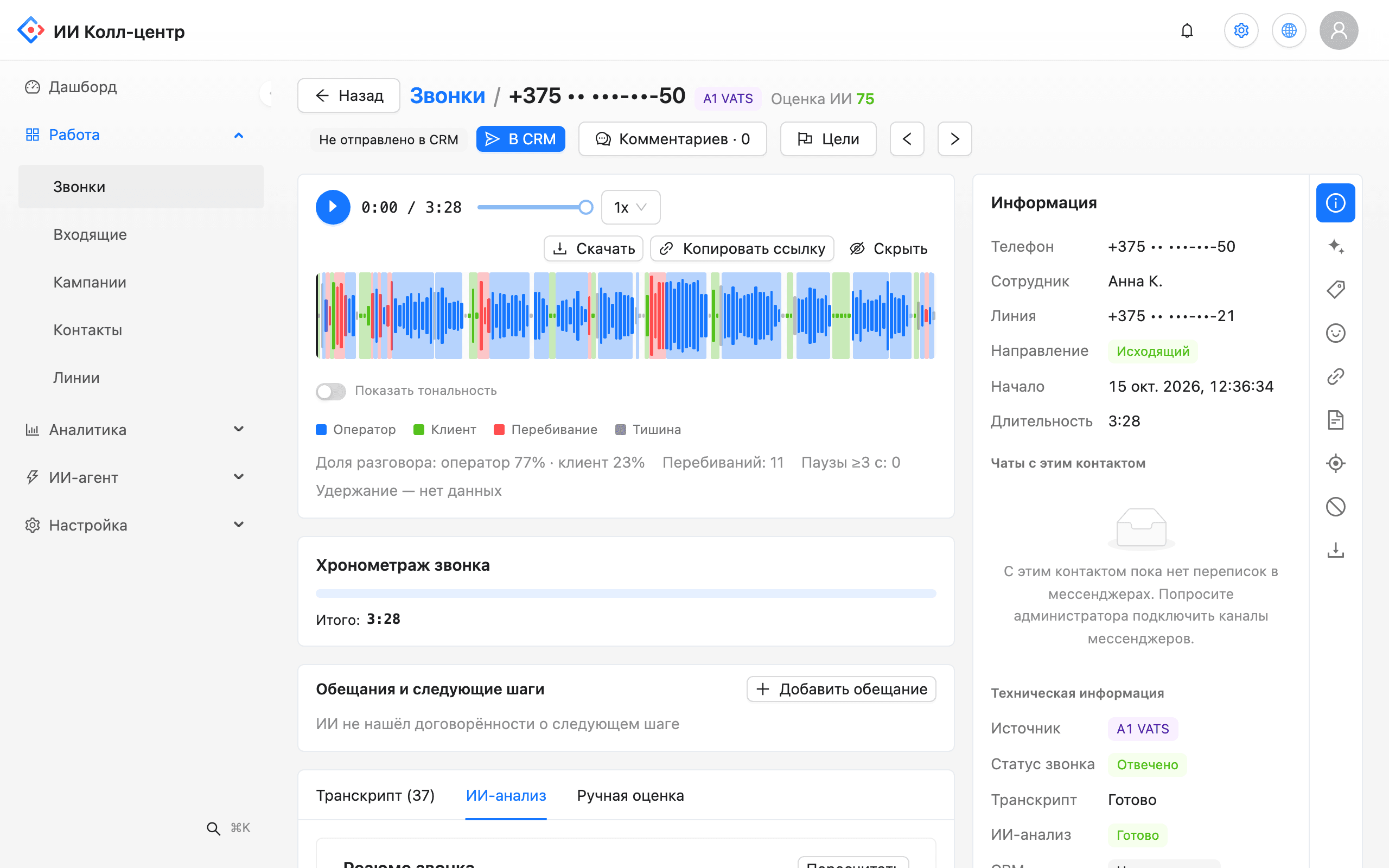
The patient presses “1”. The timestamped result shows in the list.
Pressing “2” logs a request; reception calls back only those patients.
A day before a test the bot reminds the patient about preparation and documents.
Addresses, opening hours, visit preparation: answers from the clinic's knowledge base.
Number of attempts, pauses and calling window are set per campaign.
Masking, retention periods, an audit log and an on-premise option.
Problem. Empty slots in a doctor's schedule that nobody can fill.
What the AI does. A reminder the day before with keypress confirmation and a list of reschedule requests.
Outcome. Reception knows in advance which slots free up and has time to offer them to other patients.
Problem. A patient arrives unprepared and the procedure is postponed.
What the AI does. A call a day ahead with a reminder about preparation and documents.
Outcome. Fewer repeat visits caused by missed preparation.
Problem. Staff answer the same address and hours questions over and over.
What the AI does. The AI answers in chat from the clinic's knowledge base and hands treatment questions to a person.
Outcome. Staff focus on patients who need a booking or human help.
We start with one department, for example reminders for one specialty.
Addresses, hours, test preparation and rescheduling rules form the knowledge base for AI answers.
The bot calls from the clinic's number through your PBX or SIP trunk.
The appointment list is uploaded as a file or sent by webhook from your system.
Reminder text, retries, calling hours and handoff rules for reception.
Compare no-shows and reception workload with the period before the pilot.
It reminds patients ahead of time and asks them to confirm by keypress. Reception sees who confirmed and who wants to reschedule, and can fill freed slots in time.
No. It answers only about appointments and clinic rules from the knowledge base. Questions about treatment and symptoms go to a person.
The keypress logs a reschedule request in the call outcome. Reception sees these calls in the list and calls the patient back.
Phone numbers and emails can be masked in transcripts, your admin sets retention periods and user actions are logged. For strict requirements there is an on-premise installation.
Yes. You set the calling window, time zone, number of attempts and the pause between them. Outside the window the call is postponed.
There is no ready integration with clinic scheduling systems. The appointment list is uploaded as a file or sent by webhook, and results come back the same way.
No. The bot calls from your number through your PBX or SIP trunk.
We will demo an appointment reminder scenario and outline the pilot steps.