
Confirmation before dispatch
The customer presses “1” if they will be home or “2” to reschedule.
The bot calls through the day's order list before dispatch, customers confirm or reschedule with one keypress, and the dispatcher sees the result before the courier gets in the van.
Already a customer? Log in
Updated
Before the courier leaves, the bot calls the customer, names the order and delivery window and asks them to press “1” if they will be home or “2” to reschedule. If voicemail answers, the call is retried on schedule. The outcome for each order goes to your systems through an integration or webhook.
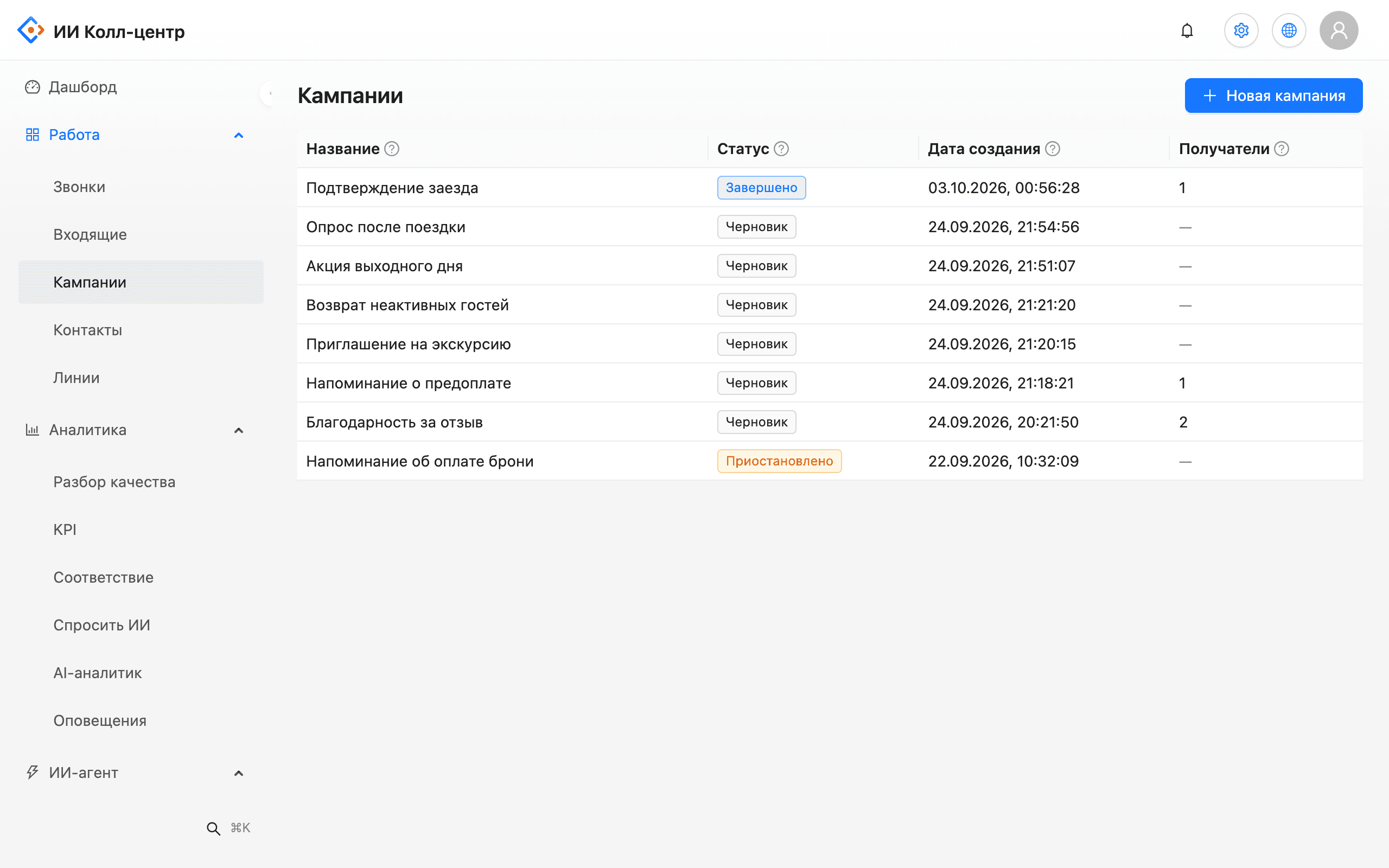
In the morning the dispatcher uploads the day's orders: phone, name, order number, delivery window and amount due. The bot calls customers within the set window, and campaign progress updates live in the console.
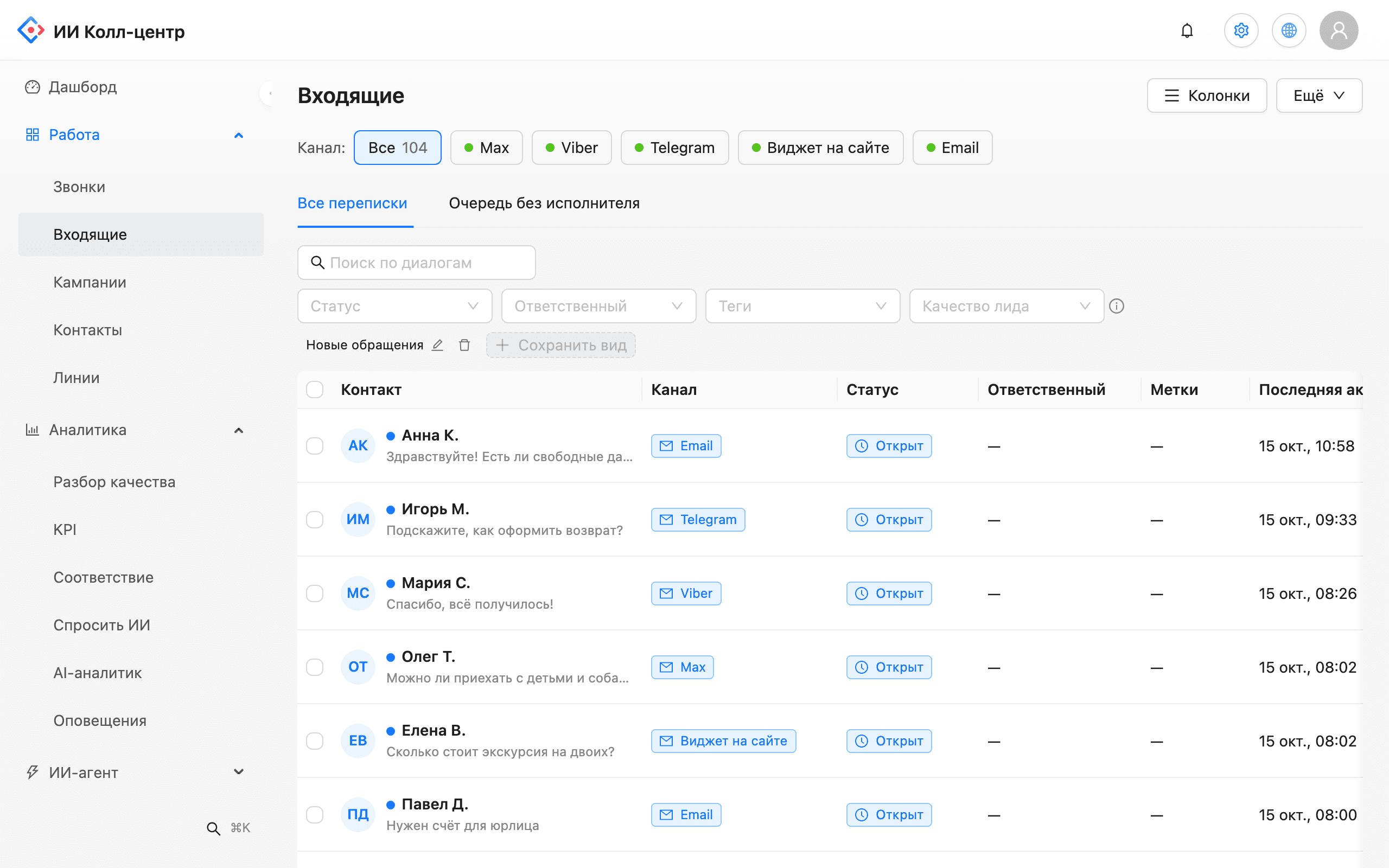
Status, timing and address questions land in a shared inbox from the website widget, Telegram, Viber and Max. The bot answers the first message under your rules, and the agent gets an AI-suggested answer from the knowledge base and sends it.
The customer presses “1” if they will be home or “2” to reschedule.
The bot confirms the order, amount and address in advance.
The bot tells voicemail from a person and calls back.
Call through the list without temporary staff. Volume is limited by your PBX lines and quota.
Each call outcome goes to your CRM or order system by integration or webhook.
Every call is recorded, so disputed cases are easy to check.
Problem. The courier arrives, nobody is home and the order goes back to the warehouse.
What the AI does. A pre-dispatch call with confirm or reschedule in one keypress.
Outcome. Routes are built from confirmed orders and reschedules are known in advance.
Problem. The customer changed their mind and the courier finds out at the door.
What the AI does. The bot confirms the order and amount ahead of time and logs a refusal.
Outcome. Refusals are known before the order is packed and shipped.
Problem. Agents cannot call every customer for evening deliveries.
What the AI does. A campaign on the order list with retries and voicemail detection.
Outcome. Agents focus on reschedules and problem orders.
We start with one route or one warehouse.
Which fields you need: phone, name, order number, delivery window, amount.
Call text, key meanings, rescheduling and agent handoff rules.
Calls through your PBX or SIP trunk; outcomes come back by webhook.
Compare wasted trips with the period before the pilot.
Confirm the delivery before dispatch. The bot calls the customer, they press “1” or “2”, and the dispatcher sees who is waiting and who wants another time.
Pressing “2” logs a reschedule. If the customer does not answer or voicemail picks up, the call is retried on the campaign schedule.
To your CRM or order system through an integration or webhook. In the console you see the outcome per order.
Yes, from the first seconds of the call. If detection is uncertain, the call counts as unanswered and is retried.
It depends on the number of lines on your PBX or SIP trunk and the quota agreed for the pilot. We size the volume to your order flow.
No. The bot calls through your PBX or SIP trunk from your number.
We will demo delivery confirmation on your scenario.