
How to hide personal data in call recordings
· Updated
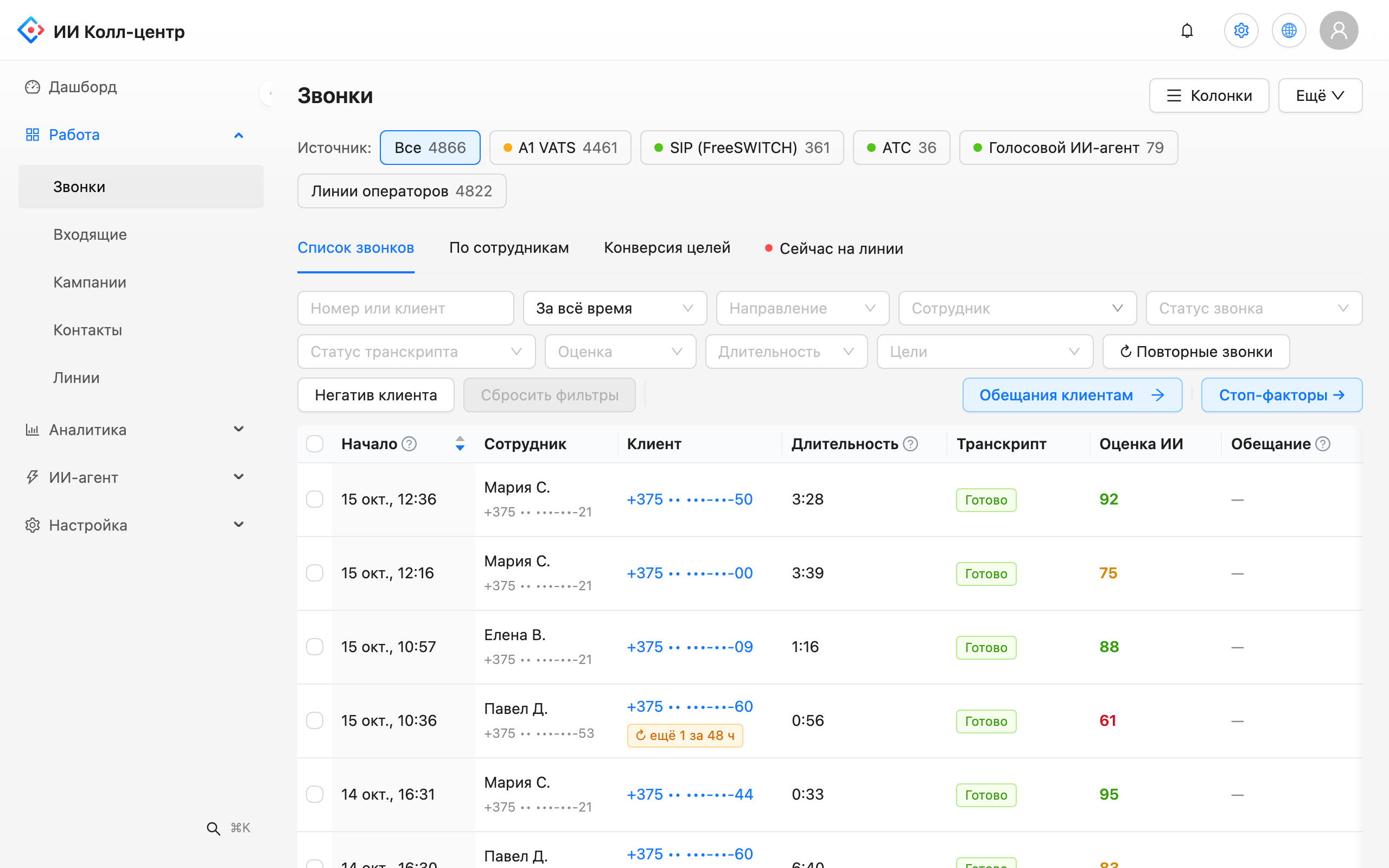
Customers dictate card numbers, phones, e-mail addresses and document details over the phone. When calls are transcribed and analysed, that data ends up in text. For managers and reps to use speech analytics without seeing extra details, personal data has to be hidden.
What data is hidden
In the privacy settings you choose the data categories to hide:
- phone;
- e-mail;
- card number;
- document number.
Each value is replaced with a tag such as [PHONE] or [CARD]. The transcript stays readable, and the value is hidden. Tags appear in the transcript, the call summary and AI analysis results. By default the original values are kept for 30 days, and you can change that period; you can also choose to replace values irreversibly.
Who sees original values, and how
- Regular users see masked text.
- An administrator can reveal one value by stating a reason. Each such action is written to the audit log, and the value itself is not logged.
This keeps access to original data under control and possible to check. The audit log and roles are described on the on-premise version page.
Audio: a beep instead of data
Data can be hidden in the recording too. You can replace spoken digits in the recording with a beep: an employee listens to the call but does not hear the card number. It is switched on separately from text masking, and an administrator can open the original when needed, again with a reason.
Retention for recordings and transcripts
The retention policy is a setting: separately for transcripts and for call recordings, in days. Before cleanup Leksta shows a preview: how many transcripts and recordings would be deleted and which call is the oldest. The preview deletes nothing. Automatic cleanup runs once a day; you can also start it manually after the preview.
What you get
- Transcripts without extra data. Managers work with text where card numbers and phones are already hidden.
- Controlled access. Only an administrator sees the original value, and every view leaves a trace in the log.
- Clear retention periods. You set the retention windows and decide when to run cleanup.
- One place for settings. Masking and retention sit on one screen in the "Privacy" section.
If you need installation on your own servers, see the on-premise version. The platform overview is on the speech analytics page.
Try Leksta free
Want to see what masked transcripts look like? Try Leksta: 14 days and 120 call minutes free, no card. Upload recordings, switch on masking for the categories you need and open a call.
FAQ
What personal data does Leksta hide in call transcripts?
You choose the categories: phone, e-mail, card number and document number. Each value is replaced with a tag such as [PHONE] or [CARD] in transcripts, call summaries and AI analysis results.
Can an administrator see the original value?
Yes, but only one value at a time and with a mandatory reason. Every such view goes to the audit log. The revealed number or e-mail itself is not written to the log. Other users work only with masked text.
How do I set a retention period for recordings and transcripts?
In the "Privacy" section set the retention period in days, separately for transcripts and for recordings. Then open the preview: it shows how much data would be deleted and deletes nothing. Automatic cleanup runs once a day; you can also start it manually after the preview.
How do I hide a card number in the recording itself?
Switch on the separate audio setting: digits in the recording are replaced with a beep. It works independently of text masking, and the original recording is opened by an administrator with a stated reason.